Ad generator
Describe a product. Get a finished image or video advertisement — headline, call to action and all — built at the exact pixel dimensions of the placement you are running it in.
Image ads take about 15 seconds. Video takes about a minute.
Ads made with this tool

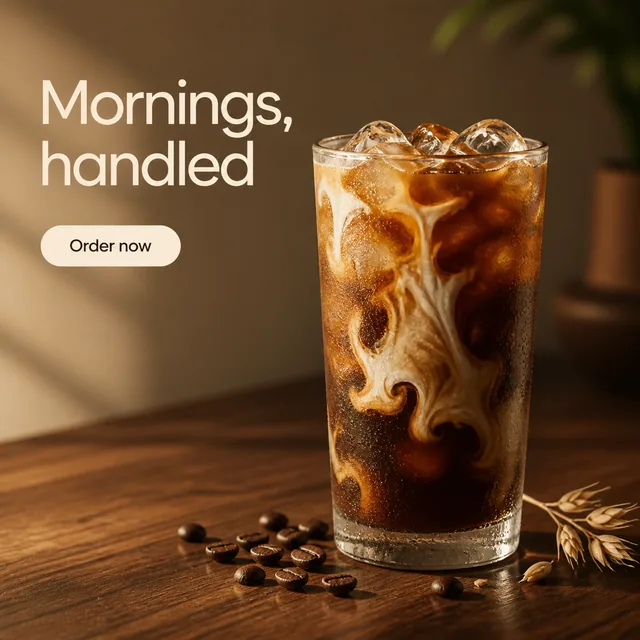
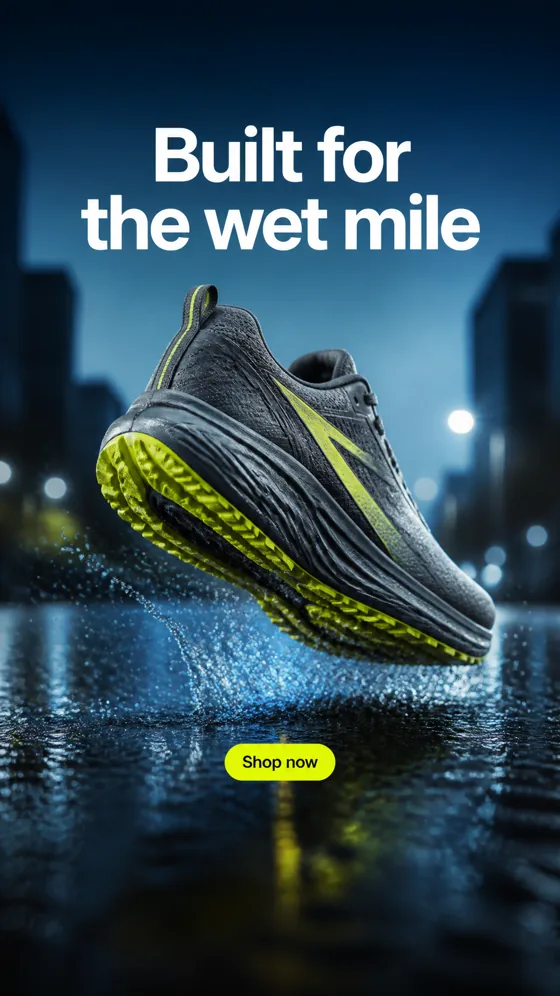
Every ad above came out of this tool from a single sentence. Yours appears here.
What an ad generator does
An ad generator turns a written description of a product into a finished advertisement: the image or video itself, plus the headline and call to action that sit on it. You supply the brief and, if you have one, a photograph of the product. The generator decides the art direction, composes the frame, writes the copy and renders the result at the size the placement expects.
That is a different job from a template editor. A template editor gives you a layout and asks you to fill it in — you are still the designer, just with a head start. A generator produces the creative from the description, which means the unit of work is the brief rather than the canvas. The practical consequence is testing volume: six directions in the time it used to take to lay out one.
What it does not change is what makes an advertisement work. The offer still has to be right, one clear idea still has to be legible in the first second, and the creative still has to be built for the placement it runs in rather than cropped down to fit.
What comes out
Exact output, in pixels. Every size below clears the minimum accepted by Meta, TikTok, LinkedIn and Google Demand Gen, so a generated file can be uploaded to any of them without resampling.
| Shape | Ratio | Image output | Video output | Runs in |
|---|---|---|---|---|
| Portrait | 4:5 | 1088 × 1360 PNG | — | Facebook and Instagram feed |
| Square | 1:1 | 1088 × 1088 PNG | — | Feed, carousel, marketplace |
| Story | 9:16 | 1088 × 1936 PNG | 1280 × 720 MP4, 6s, audio | Stories, Reels, TikTok, Shorts |
| Landscape | 16:9 | 1936 × 1088 PNG | 1280 × 720 MP4, 6s, audio | YouTube, display, in-stream |
Image ads take roughly fifteen seconds. Video ads take roughly a minute. On 9:16 output the generator is given the interface bands as a composition constraint, and every result carries a safe-zone overlay you can switch on to check the headline and button before you ship it.
How it works
- 1
Describe the product
Write one or two sentences: what the product is, who it is for, and the single benefit worth leading on. Specifics beat adjectives — 'keeps drinks cold for 24 hours' works, 'high quality' does not.
- 2
Set the direction
Choose an art-direction preset and the shape the ad needs to be. Optionally attach a photo of the product so the ad shows the real thing.
- 3
Generate and download
The generator writes the headline and call to action, composes the frame around them, and renders the ad at the placement's exact pixel dimensions. Download the PNG or MP4 and run it.
Choosing the shape before you generate
The single most common mistake in paid social is producing one square creative and pushing it everywhere. A square asset in a 9:16 placement gets letterboxed or auto-cropped, and the crop lands wherever the platform decides — usually straight through your headline. Generating at the native shape costs nothing extra and removes the problem entirely.
Facebook and Instagram feed
For images, 4:5 at 1440 × 1800 is Meta's current recommendation on both — not the 1080 × 1080 square the older cheat sheets still repeat. Video is where it splits: Facebook Feed video is also 4:5, but Instagram Feed video is 9:16, because that inventory now behaves like Reels. The full dimension list, including the character counts and the aspect-ratio tolerances that decide whether an asset serves, is in the Meta ad sizes and specs reference.
Stories, Reels, TikTok and Shorts
9:16 at 1080 × 1920. This is the shape with the least forgiving safe zones: Meta reserves roughly the top 14 percent and the bottom 35 percent of the frame for its own interface, and TikTok's overlay sits differently again. The TikTok ad specs reference covers the formats, durations and safe zones for that platform specifically.
Display and the open web
Google Display is the format where one idea has to survive the most crops — the network wants everything from a 970 × 250 billboard to a 300 × 50 mobile banner. The Google Display ad sizes reference lists which sizes carry most of the inventory and how to design a layout that survives all of them.
What separates a generated ad that works from one that does not
The brief does most of the work. A generator can only art-direct what you give it, and the difference between a usable ad and a stock-looking one is almost always in the sentence you typed.
Lead with one benefit, not a feature list. "Keeps drinks cold for 24 hours" produces a better ad than "premium double-walled vacuum-insulated stainless steel bottle", because the first is a promise a reader can act on and the second is a specification they have to translate.
Name the person. "For people who hike" and "for people who commute" produce visibly different advertisements from the same product. Without an audience the generator has to guess, and the guess is always the average.
Give it the one specific it cannot invent. A number, a material, a use case. The generator will not fabricate a price, a percentage or a rating — that restraint is deliberate, because an ad carrying an invented claim is worse than no ad. If you have a real number, put it in the brief and it will be used.
Keep the headline short. Six words is the working limit, which is roughly what a reader takes in during the second an ad has to earn. Longer headlines get truncated by the platform anyway. Worked examples of lines that carry their weight are in ad copy examples, and Facebook ad examples breaks down the layout patterns behind ads that already run.
Common questions
What is an ad generator?
An ad generator is a tool that turns a written description of a product into a finished advertisement — the image or video itself, plus the headline and call to action that sit on it. You supply the brief and optionally a photo of the product; the generator handles art direction, composition, copy and output sizing. It differs from a design template editor in that nothing is assembled by hand: the creative is produced from the description.
How do I make an ad with AI?
Describe the product in one or two sentences, including who it is for and the single benefit worth leading on. Pick an art direction and the shape the ad needs to be. Generate. On this site that takes about fifteen seconds for an image ad and about a minute for a video ad, and the result downloads as a PNG or an MP4 at the exact pixel dimensions of the placement.
What size should an ad be?
It depends on the placement. Facebook and Instagram feed image ads are 4:5 — Meta recommends 1440 x 1800 pixels, not the 1080 x 1080 square that older guides still repeat. Facebook Feed video is 4:5 as well, but Instagram Feed video is 9:16. Stories, Reels, TikTok and YouTube Shorts are 9:16 at 1080 x 1920. Google Demand Gen image assets are 1.91:1 at 1200 x 628 and 1:1 at 1200 x 1200. LinkedIn single image ads are 1.91:1 at 1200 x 628. Generating at the placement's native shape beats cropping a square down, because a crop moves your subject and your copy out of position.
Do AI-generated ads actually perform?
A generated ad performs on the same terms as any other ad: whether the offer is right, whether one clear idea is legible in the first second, and whether the creative was built for the placement it runs in. Generation changes the cost of producing variants, not the rules of what works. The practical gain is testing volume — you can put six directions in front of an audience in the time it used to take to produce one.
Can I use these ads commercially?
Yes. The advertisements you generate here are yours to run, in paid or organic placements, with no attribution required. You are responsible for the claims in your own brief — if you ask for a specific price, statistic or guarantee, verify it before you spend money behind it.
Can I use my own product photo?
Yes. Attach a photo and the generator builds the advertisement around that product rather than inventing one, keeping its shape, colour, materials and packaging text intact while relighting and repositioning it to fit the scene. A clean, well-lit photograph of the product on a plain background gives the best result.
What is the difference between an ad generator and an ad maker?
In practice the terms are used interchangeably, and searches for both return the same tools. Where a distinction is drawn, an ad maker usually means a template editor you lay out yourself, while an ad generator produces the creative from a description. This tool is the second kind: you write the brief, not the layout.
What formats does it output?
Image ads download as PNG at 1088 x 1360 (4:5), 1088 x 1088 (1:1), 1088 x 1936 (9:16) or 1936 x 1088 (16:9). Video ads download as MP4, six seconds, 720p, with audio, in 9:16 or 16:9. Every one of those sizes is above the minimum accepted by Meta, TikTok, LinkedIn and Google Demand Gen.
Why does the text in my ad matter more than the picture?
Because the headline is what gets read. In a feed, the image earns roughly a second of attention and the headline decides whether that second turns into a stop. That is why this generator writes the headline and call to action as part of the concept rather than leaving them as an afterthought, and why it holds the headline to six words.
Does it respect platform safe zones?
It composes for them and lets you verify. Meta reserves roughly the top 14 percent, the bottom 35 percent and 6 percent of each side of a Reels or Stories asset for its own interface, and those bands are given to the generator as a composition constraint on every 9:16 render. Because an image model is not a layout engine, it does not always land the copy perfectly inside them — so each 9:16 result has a safe-zone overlay you can switch on to see exactly where the interface will sit before you upload. On a 1080 by 1920 frame that leaves a usable centre band of 950 by 979 pixels.